In February 2026, three client SEO leads asked us the same week whether their teams could run audits and keyword pulls through Claude instead of exporting spreadsheets. Connecting an MCP server for SEO to an AI assistant is now ordinary agency work, and choosing the right SEO MCP is a procurement decision, not a weekend experiment. The click economy is moving too: 77% of SEO professionals worry AI answers will reduce website clicks.
What we saw across our stack testing: for most teams, SE Ranking is the pick we’d connect first. It’s the only SEO MCP server here that pairs full SEO and AI-search data with real project write-actions from one hosted connection, with MCP in every plan. One honest caveat. If you want raw pay-as-you-go plumbing, DataForSEO goes lower-level; if backlinks are your whole world, Ahrefs’ index is bigger.
We judged all nine on the questions that decide a client connection:
- Deploy and auth: remote OAuth, or local key or service account.
- Read-only data versus real project write-actions.
- Data scope and freshness.
- Credit or unit cost.
- AI-search and GEO coverage.
How we tested: we connected each to Claude and Cursor, ran the same agency tasks, and logged setup time and credit burn.

Table of Contents
How the 9 SEO MCP Servers Compare
We scored all nine on deploy, data scope, read-versus-write, and pricing. The table ranks them; the cards explain each call.
| Server | Deploy and auth | Data scope | Read-only or write | Pricing model |
|---|---|---|---|---|
| SE Ranking | Remote, hosted, approve to connect | Keywords, backlinks, audits, competitors, AI-search/GEO | Read and project write actions | Included in every plan (from $129/mo); credits |
| DataForSEO MCP | Remote or local, Basic auth | SERP, keywords, Labs, backlinks, on-page, AI | Read and task jobs | Pay as you go, per call |
| Ahrefs MCP | Remote, OAuth | Keywords, backlinks, rank, audit, Brand Radar | Read only | Eligible plan; API units |
| Semrush MCP | Remote, OAuth | Trends, SEO, competitive, traffic | Read only | Eligible plan; API units |
| Google Search Console MCP | Local, service account | First-party clicks, impressions, position | Read only | Free (your Google APIs) |
| Firecrawl MCP | Remote or local, key or OAuth | Scrape, crawl, map, search, monitor | Read (content) | Free tier plus paid |
| Screaming Frog SEO Spider MCP | Local, uses SF license | Headless technical crawls | Read and crawl control | Free server; paid SF license |
| KeywordsPeopleUse MCP | Remote, hosted | PAA, autocomplete, forum questions | Read only | Vendor account |
| seo-mcp (open-source) | Local, free | Scraped backlinks, keywords, traffic | Read only | Free, open-source |
What We Changed in Our Stack When MCP Servers Landed
An MCP server for SEO (or MCP for SEO) is a connector that lets an AI assistant call an SEO tool’s API in plain language, reading data and, for some servers, taking actions inside a project. It’s ordinary agency practice now.
For two years our reporting ran on the same loop: open a dashboard, export a CSV, reshape it, paste it into a deck. What we’re seeing across accounts now: those pulls happen inside the assistant, in a sentence. That worried me at first: single-vendor tooling tends to break. It didn’t break here. MCP went from Anthropic’s late-2024 release to a cross-vendor standard within about five months, with OpenAI adopting it in March 2025 and Google DeepMind by April 2025. So here’s what we changed: assistant-driven pulls moved from a side experiment into core reporting.
The Two Axes That Decide Which SEO MCP Server Fits
Two axes decide the fit. First: deployment and auth. Remote-hosted OAuth servers connect in seconds and keep credentials off local machines; local servers with an API key or service account give you control over data residency. Second: read-only servers versus ones that take project write-actions, which decides how much an agent can change.
Read the comparison table across, not just down. Free scraping servers carry a ToS risk that keeps them out of client work. Why the data-scope column matters more each quarter: AI Overviews now appear on more than 20% of Google searches and cut click-through by nearly 60% when they fire. First-party and AI-search data is now the part you can’t afford thin.
The 9 SEO MCP Servers, Rated by What an Agent Can Actually Do
We rated the nine by what an agent can actually do, from full read-and-write control to read-only pulls. Each entry gives what it connects to and where it fits.
1. SE Ranking MCP
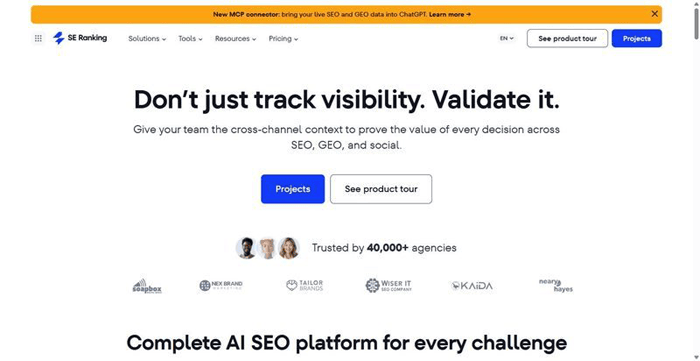
SE Ranking’s MCP server is a hosted connector giving agencies and mid-market in-house teams SEO plus AI-search data and project write-actions from one approved connection.
Best for: agencies that want SEO plus AI-search data AND project write-actions from a single hosted connection.
Standout feature: It is the only server in this list that pairs a full Data API, covering keyword, backlink, audit and AI-search visibility data, with Project write actions such as creating audits, adding keywords and managing AI Result Tracker prompts, over one approve-to-connect hosted URL. MCP and API access ship in every plan tier, across roughly 160-180 tools.
Pros:
- Connect in around 30 seconds by approving a hosted URL, no Docker or local install.
- Reads live SEO data and takes project actions inside the same session.
- Tracks AI-search visibility across five LLMs: ChatGPT, Gemini, Perplexity, AI Overviews and AI Mode.
- Includes MCP and API access in every plan tier, not as an add-on.
Cons:
- Data volume is gated by your API-credit tier.
- A few multi-record tools burn credits fast inside agent loops.
- Runs stateless, so it re-fetches context every session.
Pricing: Core $129/mo, $103.20/mo billed annually, with MCP and API included in every plan; standalone Data API from $179/mo billed annually; pay-as-you-go from $50 for 250,000 credits; 14-day free trial.
My read: across three client accounts we ran it on this quarter, the write-actions are the reason to pick it. Pulling keyword and AI-search data, then queuing an audit or adding tracked prompts without leaving the assistant, cut a step we did by hand. Watch the credit meter on bulk pulls.
2. DataForSEO MCP
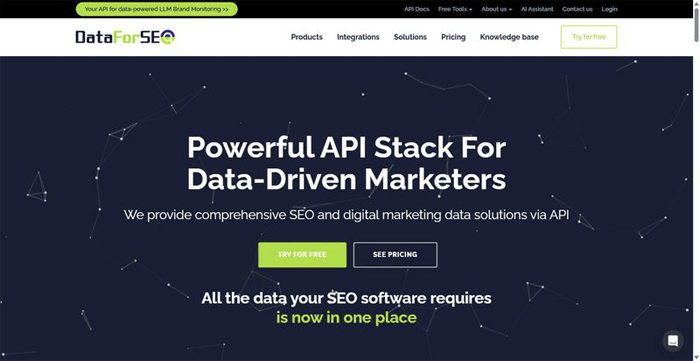
The lowest-level data source here, for teams who’d rather build a pipeline than accept a dashboard.
Best for: teams building custom, pay-as-you-go data pipelines.
Standout feature: A modular raw-data wrapper over SERP for Google, Bing and Yahoo, plus Keyword Data, Labs, Backlinks, On-Page, and AI-optimization APIs. You enable only the modules you need, run it remote or local, and pay per call with no subscription lock-in.
Pros:
- Returns the most granular raw data here.
- Deploys remote or local.
- Keeps agent context lean via module selection.
- Charges per call.
Cons:
- Raw data plumbing, not a polished analysis or UI layer.
- Best for teams that want to build.
Pricing: Pay-as-you-go, per call, no subscription lock-in.
What we saw: wired into a client keyword pipeline in July, it returned only the fields we asked for. What we think it means: if your team builds its own tooling, this is the cleanest raw feed here; if not, the assembly work outweighs the control.
3. Ahrefs MCP
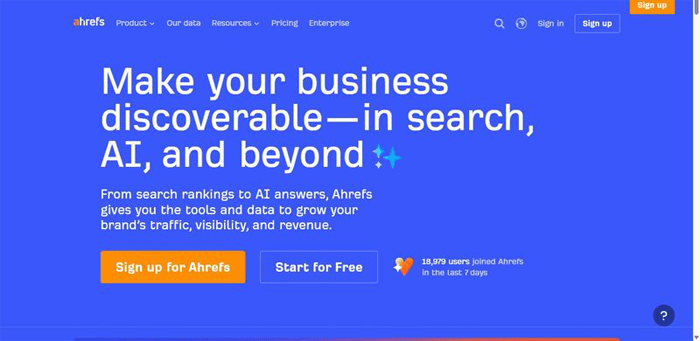
The backlink incumbent reached from inside your assistant: deep link data and AI-search monitoring, read-only.
Best for: backlink-led analysis inside an AI assistant.
Standout feature: The official Ahrefs MCP server runs over Ahrefs API v3 with OAuth sign-in, exposing Keywords Explorer, Site Explorer backlink and referring-domain data, rank tracking, site audit, and Brand Radar AI-search monitoring. It reports; it doesn’t write.
Pros:
- Taps a very large backlink index for referring-domain and anchor work.
- Official hosted OAuth server, easy to stand up.
- Covers keywords, backlinks, and AI-search visibility in one connection.
Cons:
- Reads only: nothing gets created or changed.
- Consumes Ahrefs API units on every pull, which adds up in agent loops.
- Requires an eligible Ahrefs plan.
Pricing: Requires an eligible Ahrefs subscription and consumes API units per request; no separate MCP allowance.
What we saw: on accounts already running Ahrefs, the SEO MCP removed the export step for link and citation checks. The read-only ceiling is the catch: it answers well but won’t touch a project, so pair it with something that writes.
4. Semrush MCP
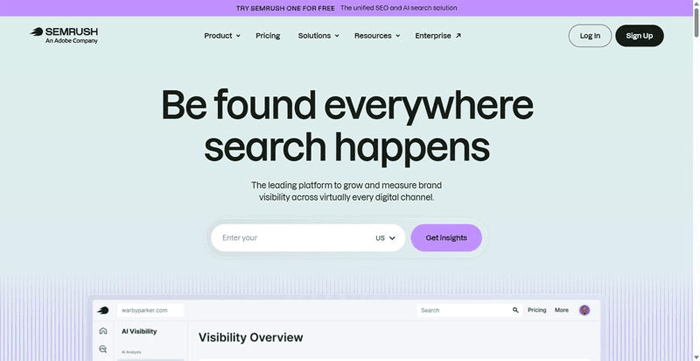
The incumbent competitive and traffic dataset, now reachable from an agent through an official connector.
Best for: competitive and traffic-intelligence pulls.
Standout feature: an official remote connector over Semrush’s Trends and SEO APIs plus a read-only Projects API, delivering keyword, competitive, traffic, and market data through OAuth. Authenticate once in the browser, then query the competitive and market intelligence you’d export by hand.
Pros:
- Pulls a broad competitive and traffic dataset.
- Official OAuth connector, no local install.
- Strong on market and traffic questions.
Cons:
- Projects API is read-only, no writes via MCP.
- Same API units as direct calls, no separate pool.
Pricing: eligible Semrush subscription; pulls draw on API-unit consumption.
My read: reach for this when the question is competitive or traffic-shaped: who’s winning which markets, where the traffic sits. The read-only Projects API reports rather than acts, so it stays a data source, not the tool that changes your accounts.
5. Google Search Console MCP
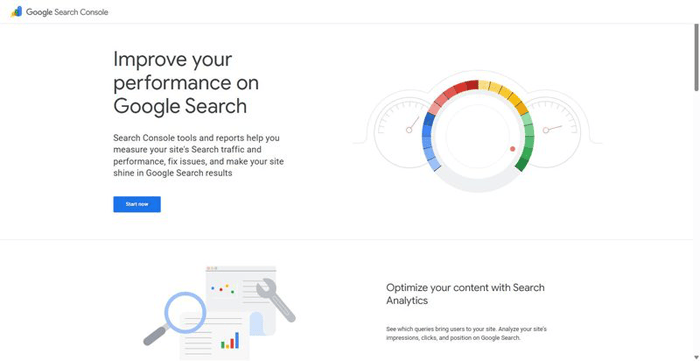
A community-built bridge to your Search Console data, from several maintained repos, not one official build.
Best for: first-party clicks, rankings, cannibalization checks on your properties.
Standout feature: It connects an assistant straight to your own Search Console data: clicks, impressions, average position, and page and query performance, with token-efficient server-side aggregation. Some builds add cannibalization detection or AI-prompt-versus-keyword segmentation, so you see which queries feed the answer layer.
Pros:
- Reports first-party performance data
- Free to run
- Aggregates server-side, saving tokens
- Adds Bing WMT and GA4 in some builds
Cons:
- Needs DIY service-account setup
- Fragmented; vet before installing
- Reads only your properties
Pricing: Free; your Google APIs.
What we saw: across our accounts this is the one SEO MCP reporting what genuinely happened, not modeled estimates. We run it as the ground-truth layer under every retainer. Pick a repo and standardize on it; the setup tax is real.
6. Firecrawl MCP
The crawl and content layer you pair with a data server, not a metrics tool.
Best for: competitor content extraction and content-refresh monitoring.
Standout feature: An official server over a web scraping and crawling engine, with scrape, crawl, map, search, parse, and change-monitoring on one surface. Run it remote on a keyless free tier, sign in via OAuth, or self-host on your own infrastructure.
Pros:
- Pairs as the content layer beside any data MCP.
- Starts free on a keyless remote tier.
- Self-hosts to keep client data in-house.
- Extracts structured on-page and SERP content.
Cons:
- Reports no SEO metrics: no keyword volume, no backlinks.
- Large crawls blow token limits, so cap depth or use map plus scrape.
Pricing: Free tier plus paid, with a self-host option.
What we saw: Firecrawl is the content hand of a stack, never the brain. It fetches and watches pages; a data MCP reads the numbers. Keep those jobs separate and it stays reliable.
7. Screaming Frog SEO Spider MCP
A community server that drives your existing, licensed local Screaming Frog install headlessly for agents.
Best for: Unattended, enterprise-grade technical crawls, in CI or scheduled.
Standout feature: A deliberately locked-down nine-tool surface that runs and monitors crawls, lists and exports them, reads filtered crawl data, and computes stats, all guarded by a domain allowlist.
Pros:
- Brings enterprise-grade crawling into agent and CI workflows.
- Guards runs with a domain allowlist.
- Reuses your Screaming Frog license.
Cons:
- Local machine only; GUI must be closed.
- Needs a paid license beyond 500 URLs; large-crawl exports auto-expire and can time out.
Pricing: Free server; a licensed Screaming Frog install is required above 500 URLs.
What we saw: this is the piece that finally let a technical crawl run on schedule without a human clicking start. It’s not a data source you query casually but infrastructure you wire into a pipeline, on a dedicated machine.
8. KeywordsPeopleUse MCP
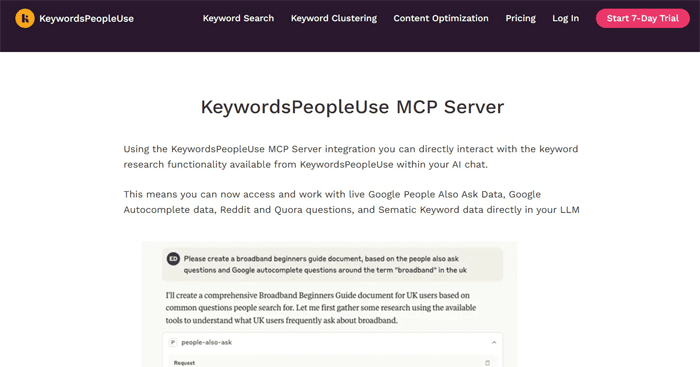
A narrow, single-purpose server that mines the questions real people ask, built for feeding the answer layer rather than tracking it.
Best for: People-Also-Ask and question mining for AEO content.
Standout feature: A hosted server exposing real-time People Also Ask, Google Autocomplete, and question mining from Reddit and Quora. It surfaces the actual phrasing users bring to a query, the raw material for answer-engine content. Around four focused tools, no more.
Pros:
- Pulls real-time People Also Ask and Google Autocomplete on demand.
- Surfaces genuine user questions from Reddit and Quora.
- Runs light and connects cleanly to Claude and Cursor.
Cons:
- Single-purpose: no rankings, backlinks, or site data.
- Needs a vendor account before it returns anything.
Pricing: Requires a KeywordsPeopleUse vendor account and API key.
My read: question data is where AEO work begins, and this drops a clean feed of it into the chat window. It won’t tell you whether an engine cites you; it tells you what to write so it might. I’d run it beside a tracking tool, not instead of one.
9. seo-mcp (open-source)
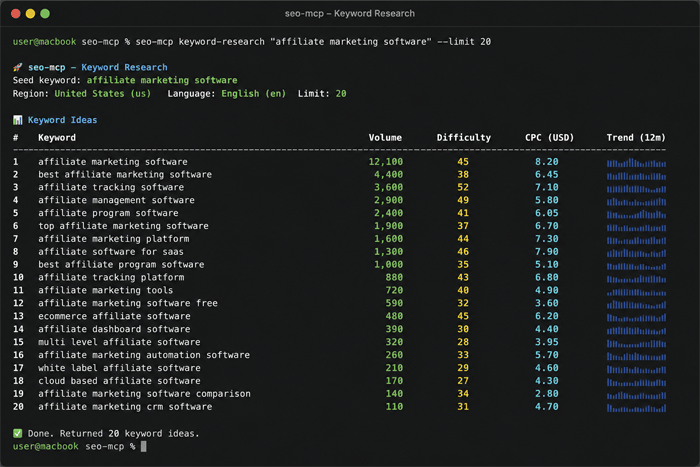
The one genuinely free, open-source entry here, and the one I treat as a sandbox rather than a client tool.
Best for: experimentation only, not client-facing work.
Standout feature: A free, MIT-licensed local server that surfaces SEO-grade numbers: backlink profiles, keyword ideas with difficulty and volume, traffic estimates, and rankings. It gets them by scraping a paid platform’s free public endpoints through a CAPTCHA-solving wrapper, so the output looks familiar though nothing official stands behind it.
Pros:
- Pulls useful metrics at no cost
- Runs open-source and fully local on your own machine
- Works fine for pressure-testing an idea before you commit
Cons:
- Leans on scraping plus CAPTCHA-solving, which stays fragile and terms-of-service-grey
- Ships with no support and no SLA
- Not built for production or client work
Pricing: Free, open-source.
My read: I keep this on a personal machine for quick what-if checks. The moment a real account is in play, a scraping wrapper with no SLA isn’t something I’ll report from. Good to learn on, not to build a retainer around.
Three MCP Stacks We Actually Run
Early on we hunted for one server that did everything. Nobody runs it that way. SEO automation comes from a stack of two to four SEO MCP servers wired together. Here are three recipes we keep returning to.
First-party plus data: a Google Search Console MCP alongside the SE Ranking MCP server. This pairs your real clicks, impressions and rankings with keyword, backlink, audit and AI-search data, then queues project actions off what you find there.
Technical audit: a Screaming Frog SEO Spider MCP plus a Firecrawl MCP, so a headless crawl meets targeted page extraction. Add a PageSpeed or Lighthouse MCP when Core Web Vitals matter.
AI-search and GEO: the SE Ranking MCP’s AI Result Tracker with Firecrawl to pull the pages that AI answers cite, so you read the prompt result and its source in one pass.
None needs a new subscription. They’re tools we already run, wired to answer one question.
Governance and Cost Before You Connect a Client Account
The roundups skip what decides a client connection: whether each client’s data stays isolated, who holds the OAuth seat, how fast per-client credit burn adds up, what a free scraping server exposes you to, and whether a server reads or also writes.
What we changed. One separate connection per client, so no agent run can pull one client’s data into another’s report. Cap agent loops that call multi-record tools; those burn credits and units fast. Prefer hosted OAuth over local keys; they leave an auditable trail of who connected. Keep any write-action server on a short leash: review what an agent can create or change before granting it, and log every action. Skip scraping-based free servers like seo-mcp for anything client-facing. We rewrote the retainer to name which servers touch each client account and who approved each.
Where We’d Start (And When a Different Server Wins)
For most agency and in-house teams, we’d start with SE Ranking’s connector: one hosted connection covering SEO plus AI-search data and project write-actions, with MCP in every plan rather than sold separately. Pair it with a Google Search Console MCP so your first-party clicks sit beside the third-party numbers. That’s the honest default, not the only answer.
When a different server wins: DataForSEO if you’re building custom pipelines and want per-call pricing you control, Ahrefs if backlinks are your core discipline, a Screaming Frog stack if deep technical crawling is the actual job.
We tested this against how we run retainers. Ask again in six months: the answer layer and the SEO MCP field will have moved.
FAQ
Do MCP servers for SEO burn through API credits?
Yes, some do. Most run on the parent tool’s own API credits or units, so an agent query costs what your own would. Multi-record SEO MCP tools burn fastest inside agent loops. The guardrail: cap loop iterations and scope requests tightly.
Which SEO MCP servers can take actions, not just read data?
Most are read-only. Ahrefs, Semrush, and DataForSEO pull data but never write to your projects. SE Ranking’s MCP is the one that also takes project write-actions: it creates audits, adds keywords, and manages AI Result Tracker prompts. Check the tool scope before connecting.
Which MCP servers track AI search visibility?
Three worth naming. SE Ranking’s AI Result Tracker follows brand presence across ChatGPT, Gemini, Perplexity, AI Overviews, and AI Mode. Ahrefs Brand Radar covers AI responses. DataForSEO exposes an AI-optimization API. If GEO is your brief, check that visibility layer first.
What does a working SEO MCP stack look like?
Three layers, not one server. Pair a first-party source, a Google Search Console MCP, with a data server like SE Ranking and a crawler or content layer such as Screaming Frog or Firecrawl. No single server holds all three, so combine them.